

Beskriuwing
Remove Schema optionally removes all schema markup from your website.
You have the option to remove:
- All JSON-ld
- All Microdata
- All RDFa
And remove plugin/theme specific markup:
- WooCommerce
- WooCommerce emails
- Yoast SEO
- Schema Pro
- GeneratePress themes
Skermôfbyldings
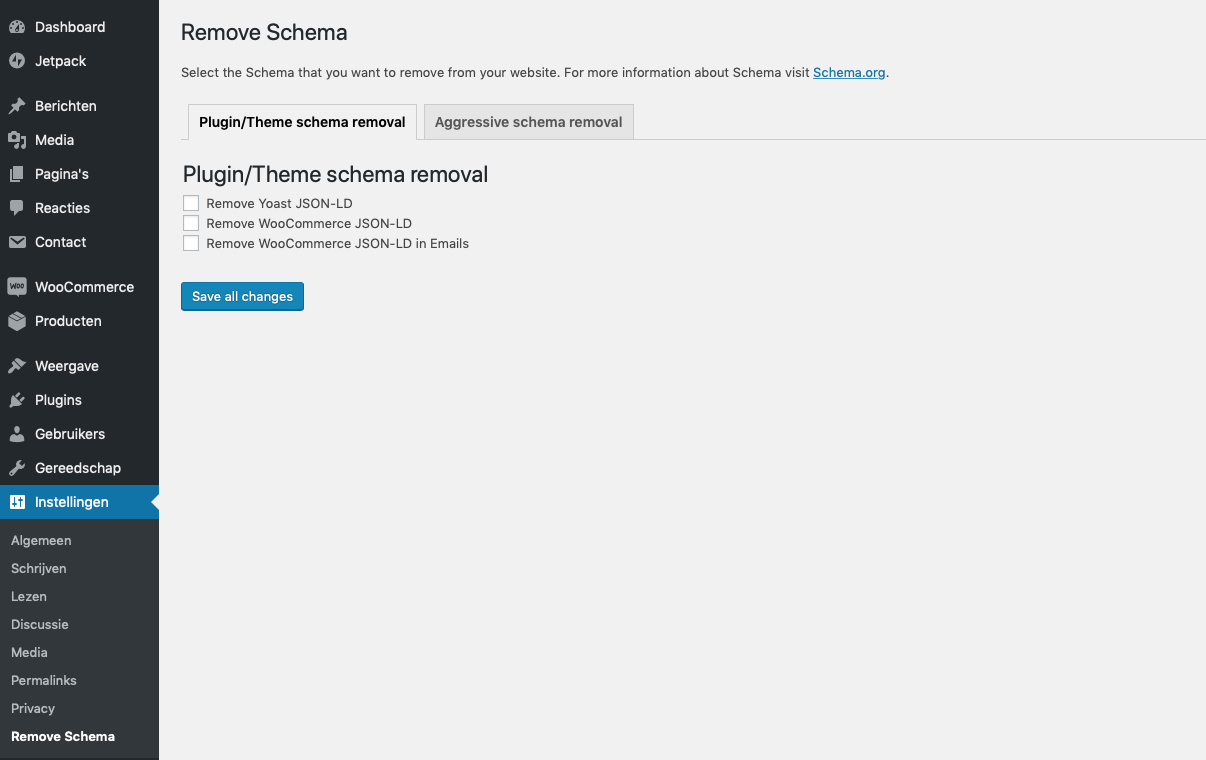
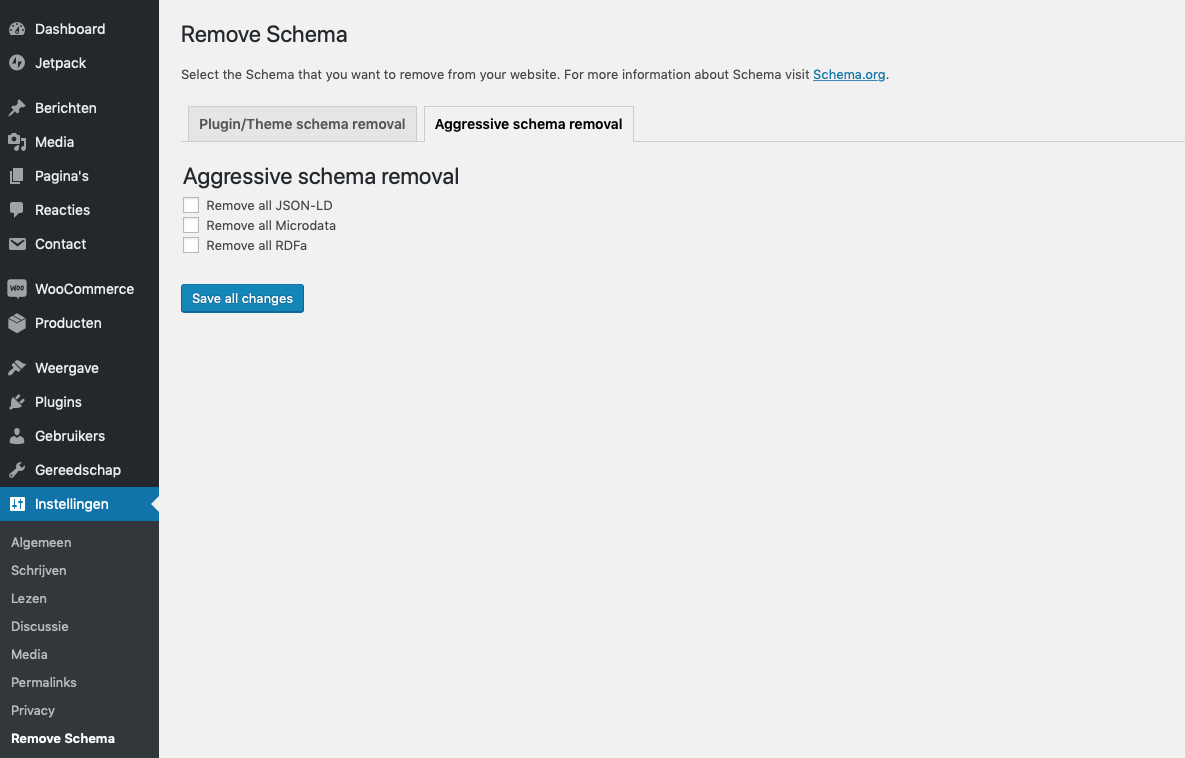
Ynstallaasje
You can install Remove Schema at the moment only by downloading it from GitHub and uploading it to your WordPress site:
- Upload
remove-schemadirectory to the/wp-content/plugins/directory. - Activate the plugin through the ‘Plugins’ menu in WordPress.
- Go to settings and check the boxes of the schema markup that you want removed.
Resinsjes

5 Jannewaris, 2022
WP 5.8.2
WC 6.0.0

5 April, 2021
Works like a charm. Thanks!

7 Febrewaris, 2021
Works great! I wanted to add my own schema, but the theme I am using was adding a bunch more, some of it in error. Remove Schema got rid of all that junk and everything’s good now!

4 Febrewaris, 2021
Did not work for me, not sure what the problem is but did not get a response to my support request for some time now

2 July, 2020
i loved, this cool

29 Febrewaris, 2020
1 reakce
good
Meiwurkers & amp; Untwikkelders
“Remove Schema” is iepen boarne software. De folgjende minsken hawwe bydroegen oan dizze plugin.
Meiwurkers
“Remove Schema” is oerset yn 2 lokaasjes. Tank oan de oersetters foar harren bydragen.
Oersette “Remove Schema” yn jo taal.
Ynteressearre yn ûntwikkeling?
Blêdzje troch de koade , besjoch de SVN-repository , of abonnearje op it ûntwikkelingslogboek troch RSS .
Feroaringslog
2.0
- Full rewrite of the plugin
1.6.2
- PHP 8.2 support
1.6.1
- Improved security
1.4
- Add Yoast SEO Premium support
1.3.4
- Add multisite support
1.3.3
- Remove review notice
1.3.2
- Bugfixes – page specific markup wouldn’t save if everything was unchecked.
1.3
- Improved security
- Add page specific support on all page types
1.2
- Add support for GeneratePress themes
- Add support for removing hentry classes
1.1
- Code cleanup
1.0
- Inital release