
Beskriuwing
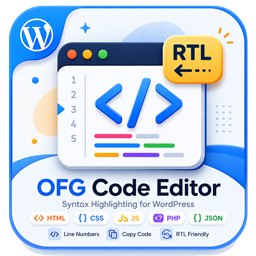
OFG Code Editor provides a consistent way to publish code snippets in WordPress.
Features:
- Gutenberg block for formatted code output.
- Classic editor button for inserting the shortcode template.
- Shortcode support via
[ofgcodeeditor_code]. - Copy button and line numbers on the frontend.
- Responsive code box layout with light and dark friendly styling.
Skermôfbyldings


Blokken
Dizze plugin jout 1 blok.
- OFG Code Editor
Ynstallaasje
- Upload the plugin files to the
/wp-content/plugins/ofg-code-editordirectory, or install the plugin through the WordPress plugins screen. - Activate the plugin through the
Pluginsscreen in WordPress. - Insert the
OFG Code Editorblock in Gutenberg or use the classic editor helper button.
FAQ
-
Which shortcode should I use?
-
Use
[ofgcodeeditor_code language="html"]...[/ofgcodeeditor_code]. -
Can I change the visible label?
-
The plugin uses a fixed header label: OFG Code Editor Plugin.
Resinsjes
D’r binne gjin resinsjes foar dizze plugin.
Meiwurkers & amp; Untwikkelders
“OFG Code Editor” is iepen boarne software. De folgjende minsken hawwe bydroegen oan dizze plugin.
Meiwurkers
Oersette “OFG Code Editor” yn jo taal.
Ynteressearre yn ûntwikkeling?
Blêdzje troch de koade , besjoch de SVN-repository , of abonnearje op it ûntwikkelingslogboek troch RSS .
Feroaringslog
1.0.3
- Updated plugin tested version metadata.
1.0.2
- Updated plugin metadata for WordPress.org review.
- Removed the legacy generic shortcode alias.
- Removed the unnecessary wrapper around the plugin class.
1.0.1
- Removed manual textdomain loading.
1.0.0
- Initial release.