Title: WP Code Pre
Author: zeshanb
Published: 19 septimber, 2017
Last modified: 8 augustus, 2021
---
Search plugins
Dizze plugin **is net hifke mei de lêste 3 grutte releases fan WordPress** . It
kin net langer wurde ûnderhâlden of stipe en kin kompatibiliteitsproblemen hawwe
as it wurdt brûkt mei resinte ferzjes fan WordPress.
# WP Code Pre
Troch [zeshanb](https://profiles.wordpress.org/zeshanb/)
[Download](https://downloads.wordpress.org/plugin/wp-code-pre.1.0.1.zip)
* [Details](https://fy.wordpress.org/plugins/wp-code-pre/#description)
* [Resinsjes](https://fy.wordpress.org/plugins/wp-code-pre/#reviews)
* [Ynstallaasje](https://fy.wordpress.org/plugins/wp-code-pre/#installation)
* [Ûntwikkeling](https://fy.wordpress.org/plugins/wp-code-pre/#developers)
[Stypje](https://wordpress.org/support/plugin/wp-code-pre/)
## Beskriuwing
This simple plugin was created because of security concerns related to using PHP
preg_replace directly. With transition to PHP7, it’s advised to use preg_replace_callback
instead.
This plugin uses built-in supported feature of PHP-“highlight_string”. This plugin
filters post content inside custom html block for
and helps display html and other source code.
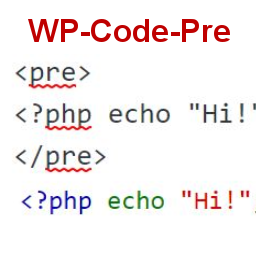
To display source code in your posts, surround source code with pre tags. Plugin
will filter for pre tags and add inline styles that may be modified using your wordpress
theme’s css stylesheet.
For WordPress versions 5.0 and above, HTML pre tags can be used within html block
or, classic block. Use the three dot menu to convert to html when there is a invalid
content error while post editing.
## Skermôfbyldings
[⌊Code preview on blog post or page⌉⌊Code preview on blog post or page⌉[
Code preview on blog post or page
[⌊Typing code in text tab of WordPress Admin area when writing Post.⌉⌊Typing code
in text tab of WordPress Admin area when writing Post.⌉[
Typing code in text tab of WordPress Admin area when writing Post.
[⌊Convert block to html while editing to make modifications to existing source code
display⌉⌊Convert block to html while editing to make modifications to existing source
code display⌉[
Convert block to html while editing to make modifications to existing source code
display
## Ynstallaasje
1. Download the plugin
2. Upload the wp-code-pre.zip folder to your site’s wp-content/plugins directory
3. Activate the plugin in the WordPress Admin Panel
4. Surround source code with `
` tags, when writing in blog posts using
Gutenberg with classic block and “Edit as HTML” or, html block
## FAQ
Why there aren’t any options to modify in admin?
This plugin simply filters for
pre tags.
## Resinsjes
D’r binne gjin resinsjes foar dizze plugin.
## Meiwurkers & amp; Untwikkelders
“WP Code Pre” is iepen boarne software. De folgjende minsken hawwe bydroegen oan
dizze plugin.
Meiwurkers
* [ zeshanb ](https://profiles.wordpress.org/zeshanb/)
[Oersette “WP Code Pre” yn jo taal.](https://translate.wordpress.org/projects/wp-plugins/wp-code-pre)
### Ynteressearre yn ûntwikkeling?
[Blêdzje troch de koade](https://plugins.trac.wordpress.org/browser/wp-code-pre/),
besjoch de [SVN-repository](https://plugins.svn.wordpress.org/wp-code-pre/) , of
abonnearje op it [ûntwikkelingslogboek](https://plugins.trac.wordpress.org/log/wp-code-pre/)
troch [RSS](https://plugins.trac.wordpress.org/log/wp-code-pre/?limit=100&mode=stop_on_copy&format=rss).
## Feroaringslog
#### 1.0
* First version of the plugin.
#### 1.0.1
* Updated readme to reflect updates to version 5.0
## Meta
* Version **1.0**
* Last updated **5 jier yn ôl**
* Active installations **10+**
* WordPress version ** 4.0 of heger **
* Tested up to **5.8.15**
* PHP version ** 7.0 of heger **
* Language
* [English (US)](https://wordpress.org/plugins/wp-code-pre/)
* Tags
* [Code Highlight](https://fy.wordpress.org/plugins/tags/code-highlight/)[filter content](https://fy.wordpress.org/plugins/tags/filter-content/)
* [Avansearre werjefte](https://fy.wordpress.org/plugins/wp-code-pre/advanced/)
## Wurdearrings
No reviews have been submitted yet.
[Your review](https://wordpress.org/support/plugin/wp-code-pre/reviews/#new-post)
[See all reviews](https://wordpress.org/support/plugin/wp-code-pre/reviews/)
## Meiwurkers
* [ zeshanb ](https://profiles.wordpress.org/zeshanb/)
## Stypje
Hast wat te sizzen? Help nedich hawwe?
[Besjoch stipefoarum](https://wordpress.org/support/plugin/wp-code-pre/)