
Beskriuwing
Alevity is a real-browser accessibility scanner for WordPress. Unlike static analysis tools, Alevity opens your pages in a real Chromium browser and delivers accurate, reproducible WCAG 2.1/2.2 AA results you can act on with confidence.
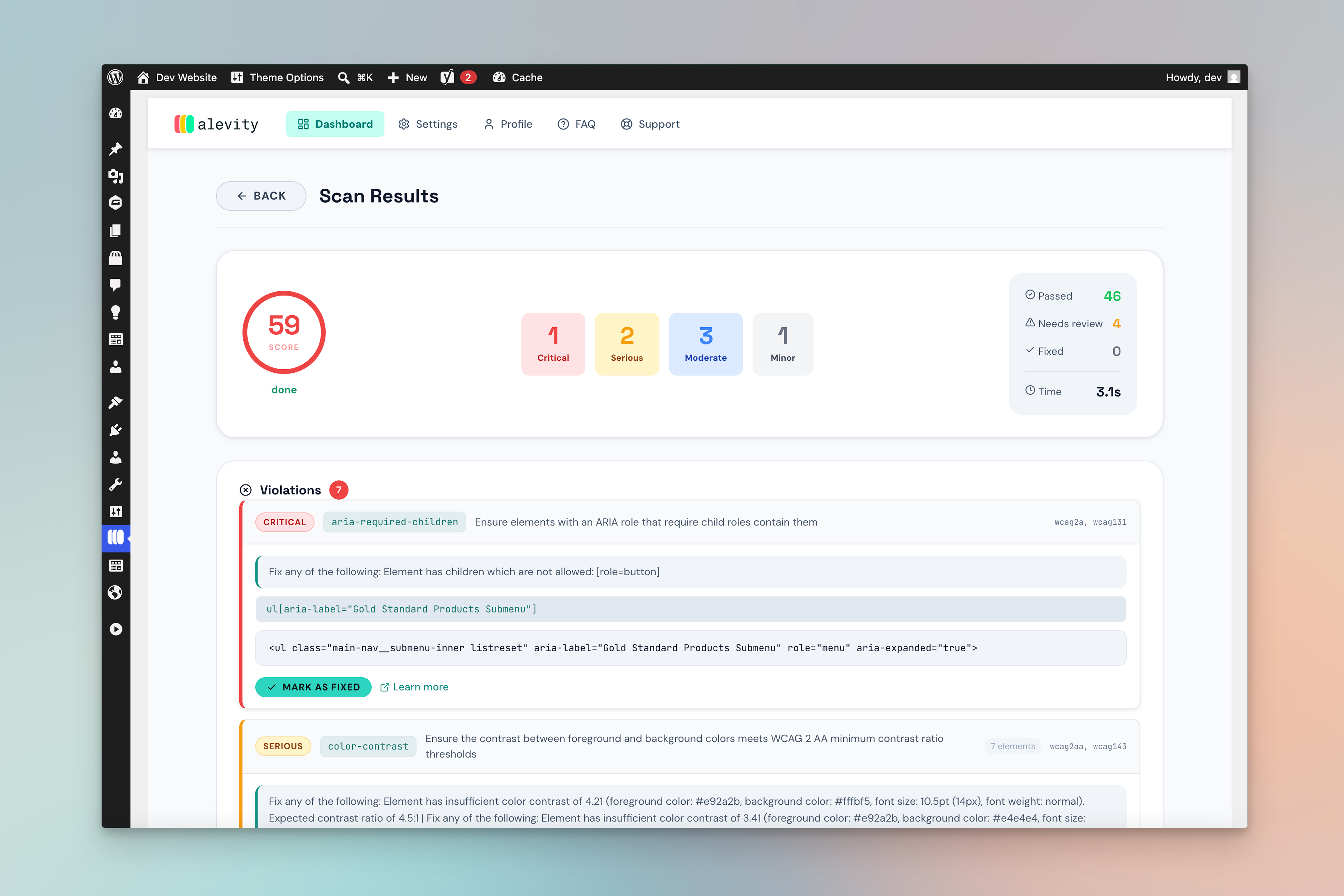
Every accessibility violation is stored directly in your WordPress database, displayed in a clean admin dashboard, and highlighted visually on your live pages via the built-in Inspector widget.
Why Alevity?
Most WordPress accessibility plugins scan HTML source code. That misses issues caused by JavaScript rendering, lazy-loaded content, and dynamic components. Alevity uses a real browser session to open your page and scans what users actually see — giving you results you can trust.
Key Features
Real Browser Scanning
Each page is opened in a headless Chromium browser before scanning. Dynamic content, JavaScript-rendered elements, and lazy-loaded images are all included in the results.
Comprehensive Rule Coverage
A battle-tested accessibility testing engine checks every page against WCAG 2.0, 2.1, and 2.2 at Levels A and AA.
WCAG 2.1 / 2.2 AA Coverage
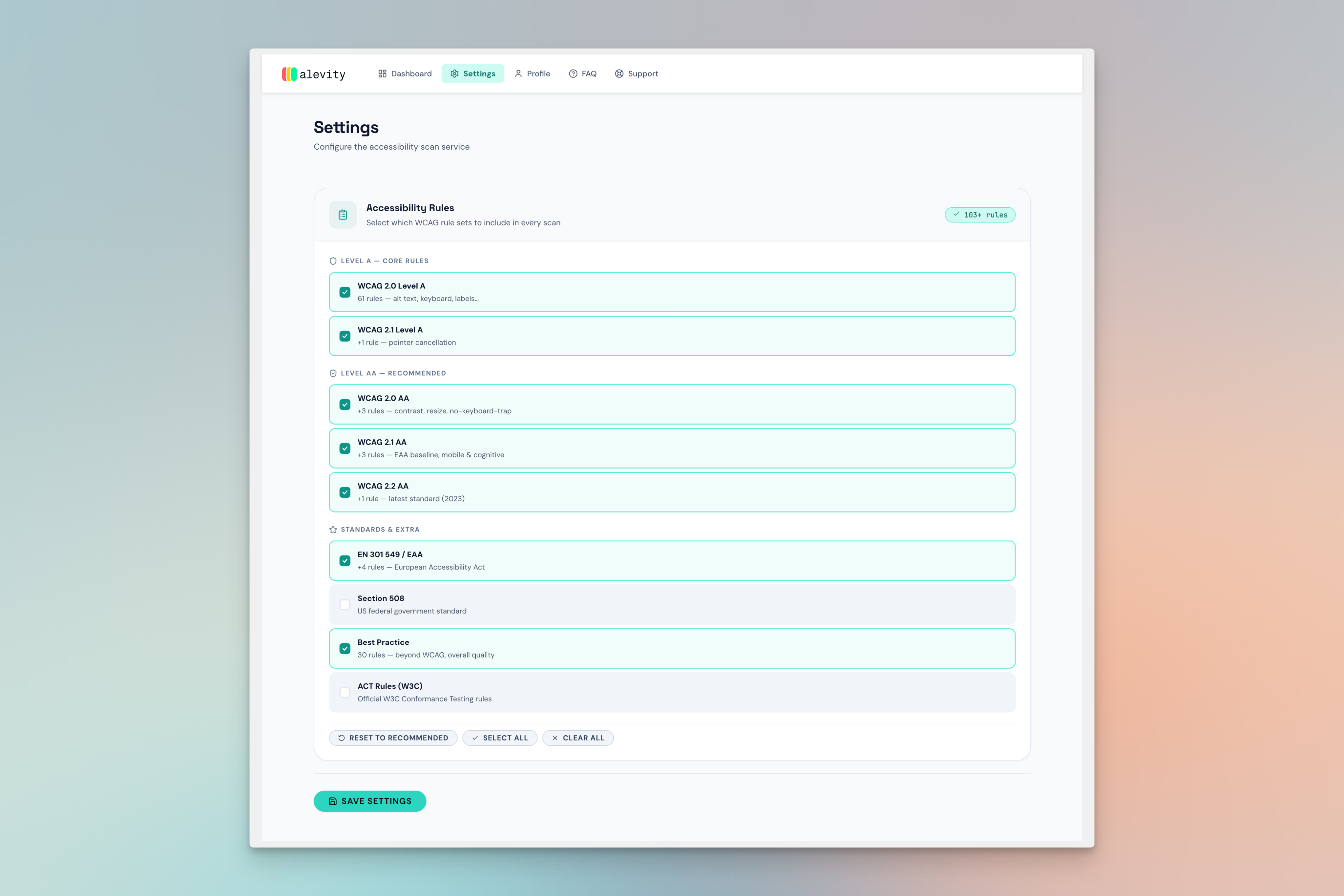
Choose which rule sets to enable: WCAG 2.0 A/AA, WCAG 2.1 A/AA, WCAG 2.2 AA, EN 301 549 (European Accessibility Act), Section 508, W3C ACT Rules, and Best Practices. Over 100 rules total.
Inspector Widget
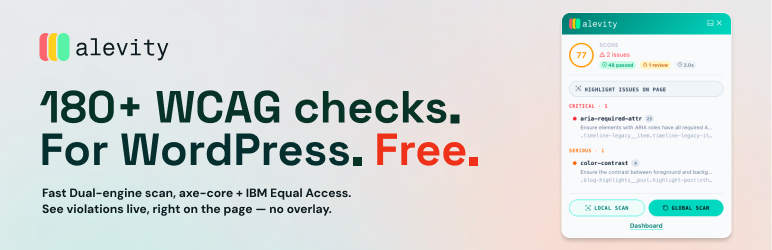
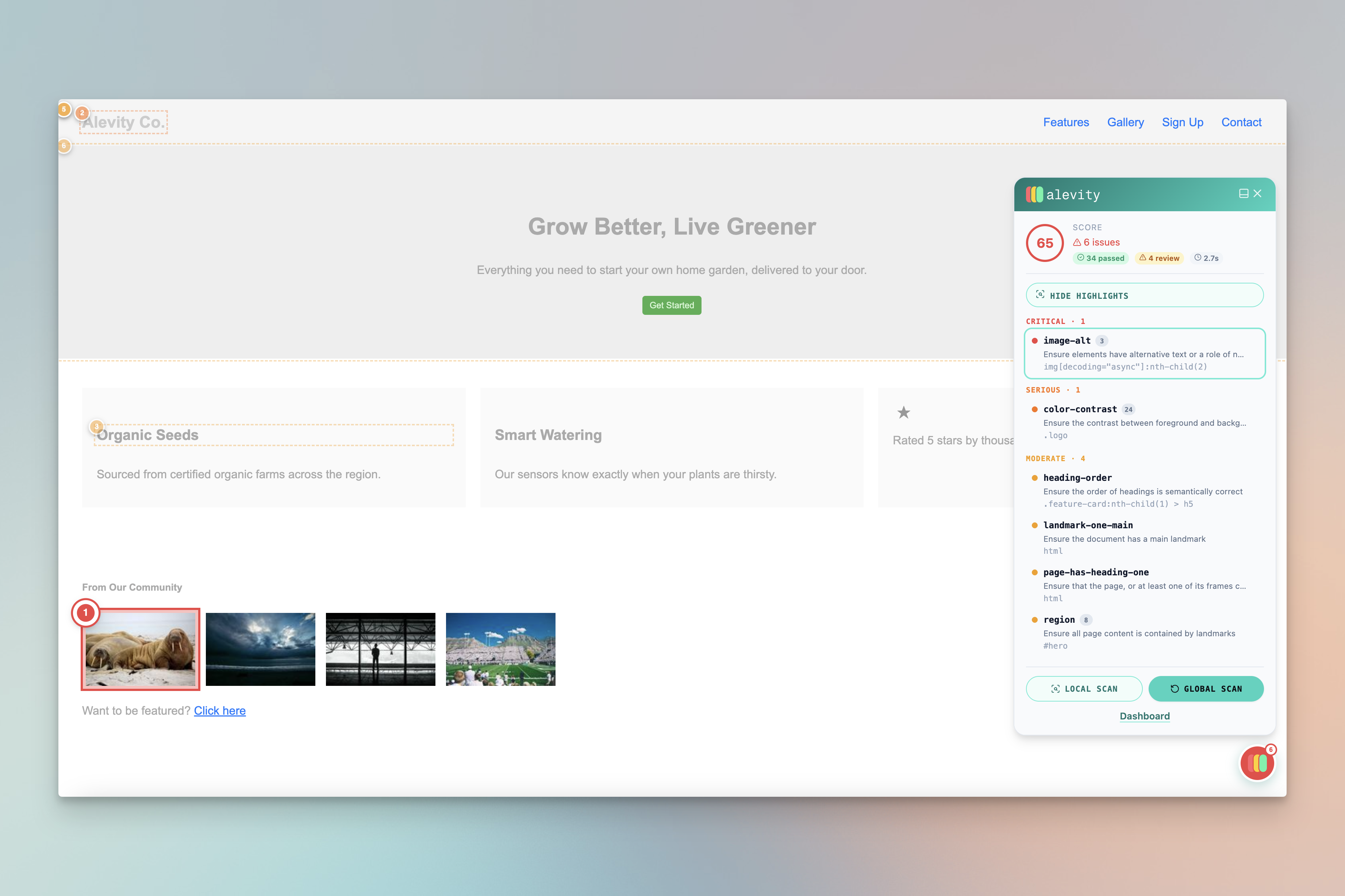
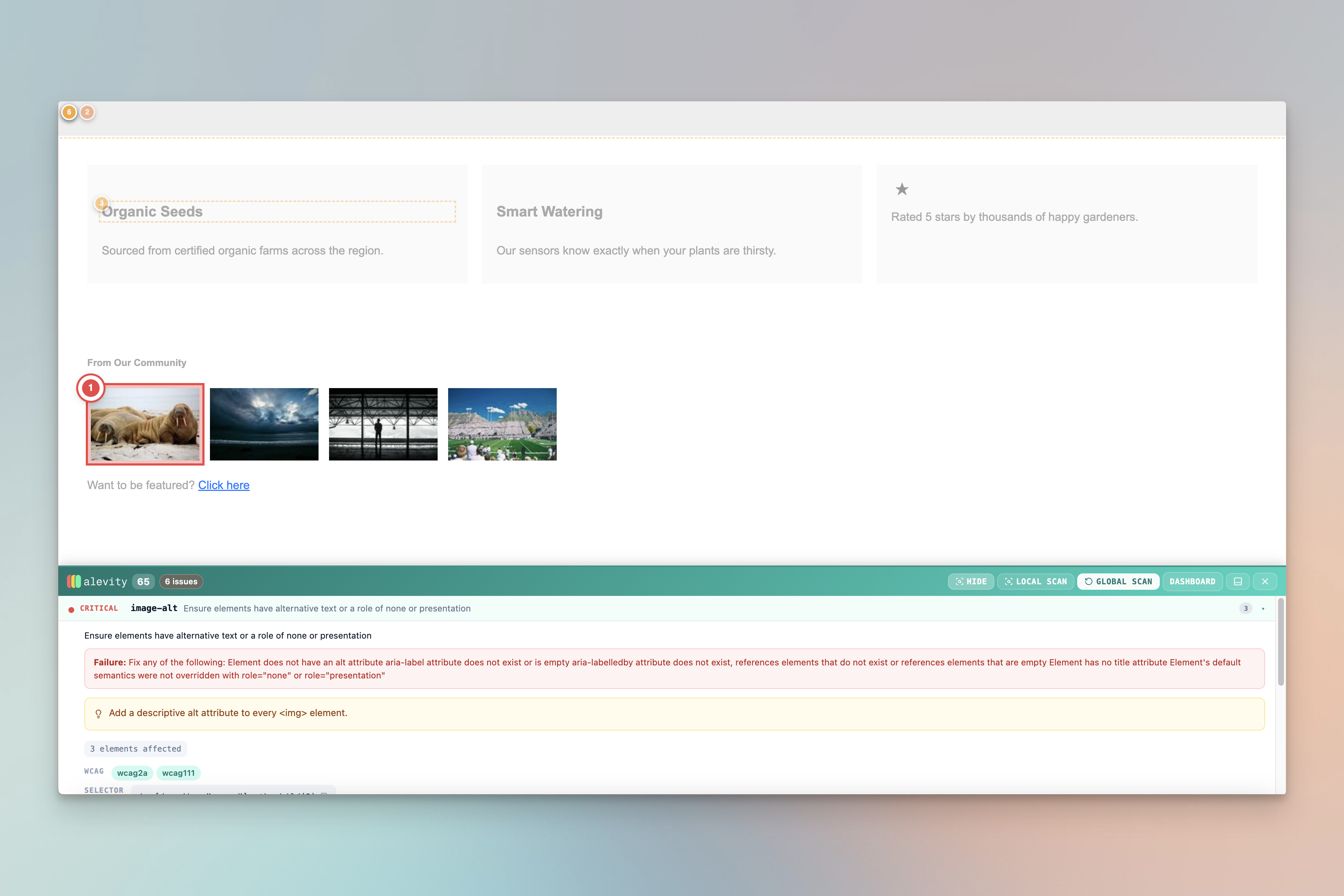
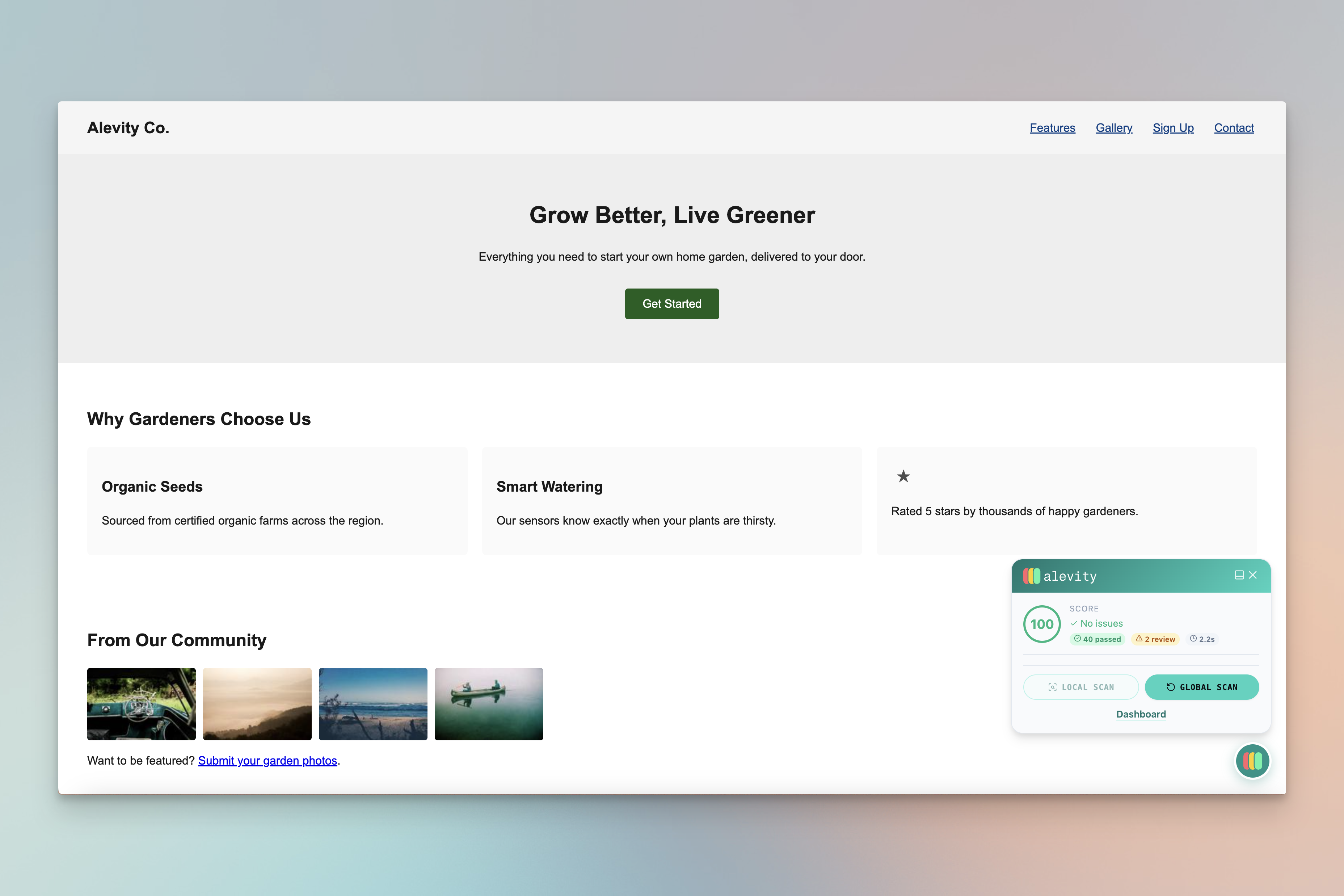
After scanning, a non-intrusive sidebar widget appears on your pages (visible only to administrators). It shows your accessibility score, lists all violations grouped by severity, and lets you highlight each issue directly on the page.
Visual Highlighting
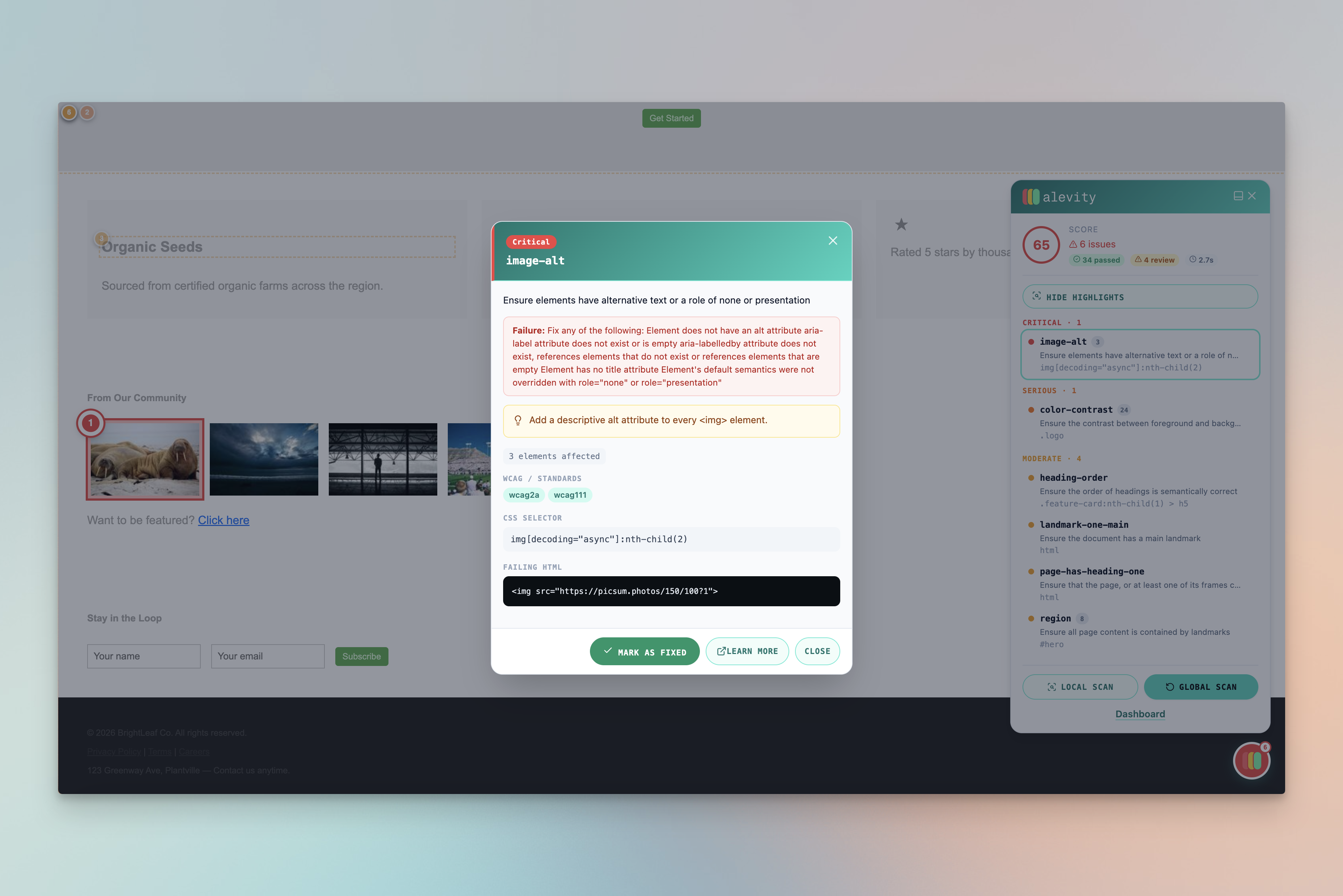
Click any violation in the Inspector to jump directly to the problematic element on the page. Numbered badges are overlaid on each affected element so you can see exactly what needs fixing.
Mark as Fixed
Mark individual violations as resolved directly from the Inspector or the admin dashboard. Scores update automatically as you fix issues.
Auto-Fix (Optional)
Enable automatic fixes for common issues: missing alt text on images (filled from filename), empty aria-labels on icon buttons, and missing aria-labels on form inputs that have placeholder text.
Local Scan Comparison
The Inspector compares current DOM state against stored violations. If an element has changed since the last scan, the violation is automatically marked as likely fixed.
Supported Rule Sets
wcag2a— WCAG 2.0 Level A (61 rules)wcag2aa— WCAG 2.0 Level AA (+3 rules)wcag21a— WCAG 2.1 Level A (+1 rule)wcag21aa— WCAG 2.1 Level AA (+3 rules — EAA baseline)wcag22aa— WCAG 2.2 Level AA (+1 rule, latest 2023 standard)EN-301-549— European Accessibility Act (+4 rules)section508— US Federal Government standardbest-practice— 30 best-practice rules beyond WCAGACT— W3C Accessibility Conformance Testing rules
Who Is This For?
- WordPress site owners who need to comply with WCAG 2.1 AA, the European Accessibility Act (EAA), or Section 508
- Developers and agencies who want to find and fix accessibility issues before launch
- Content editors who need to understand which pages have the most critical violations
- Accessibility auditors who need reliable, reproducible scan results
How It Works
- Install and activate the plugin
- Register or log in with your Alevity account at alevity.ensoro.io
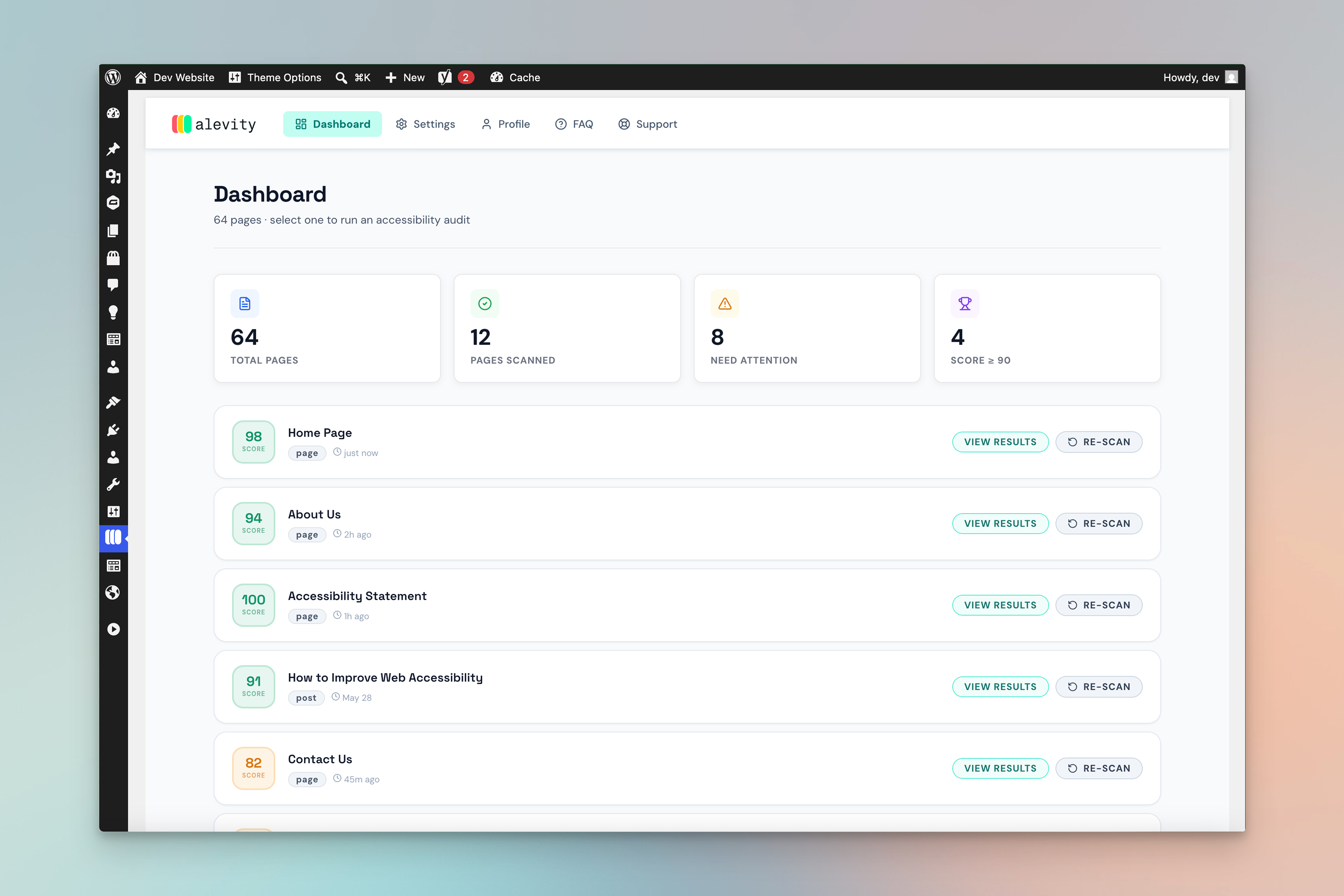
- Go to the Alevity dashboard in your WordPress admin
- Select any page or post and click Scan
- Results appear in your dashboard within seconds
- Browse violations by severity (critical, serious, moderate, minor)
- Use the Inspector widget on any page to highlight and fix issues
Privacy & Data
Alevity sends your page URLs to the Alevity scanning service (https://alevity.ensoro.io/) for processing. No personal data of your website visitors is collected or transmitted. Scanning only begins after you explicitly log in and initiate a scan. See the External Services section below for full details.
Source Code
JavaScript source files are available in the plugin’s GitHub repository: https://github.com/3nsoro/alevity
External Services
This plugin connects to the Alevity Accessibility Scanning Service operated by Ensoro.
What data is sent:
The URL of each WordPress page you choose to scan is sent to https://alevity.ensoro.io/ for processing. The service opens the URL in a headless Chromium browser, evaluates it against WCAG accessibility rules, and returns the list of accessibility violations to your WordPress site via a secure webhook.
When data is sent:
Data is only transmitted when you are logged in to an Alevity account AND you explicitly initiate a scan by clicking the Scan button. No data is collected automatically or without your action.
No visitor data is collected:
The scanning service does not collect, store, or process any personal data of your website’s visitors.
Third-party service details:
- Service: Alevity Accessibility Scanning API
- Provider: Ensoro
- Endpoint: https://alevity.ensoro.io/
- Terms of Service
- Privacy Policy
Skermôfbyldings
Ynstallaasje
- Upload the
alevity-ensorofolder to/wp-content/plugins/ - Activate the plugin through the Plugins menu in WordPress
- Click Alevity in the left admin menu
- Register a free account or log in at alevity.ensoro.io
- Start scanning your pages from the Dashboard tab
Requirements:
- WordPress 6.0 or higher
- PHP 8.1 or higher
- An active Alevity account (free tier available)
FAQ
-
Is there a free plan?
-
Yes. The Free plan allows up to 10 scans per day for 1 site. No credit card required.
-
Does Alevity work with page builders?
-
Yes. Because Alevity uses a real browser (Chromium), it scans the fully rendered page — including content built with Elementor, Divi, Beaver Builder, Gutenberg, and other page builders. Static HTML scanners miss issues in dynamically rendered content; Alevity does not.
-
Which WCAG version does it support?
-
Alevity supports WCAG 2.0, WCAG 2.1, and WCAG 2.2 at both Level A and Level AA. It also supports EN 301 549 (European Accessibility Act), Section 508 (US federal standard), and W3C ACT Rules. You can enable or disable individual rule sets in the Settings tab.
-
Does it slow down my website?
-
No. The plugin adds no overhead to your public-facing pages. The Inspector widget is only loaded for logged-in administrators. Scans run on Ensoro’s infrastructure and do not consume your server resources.
-
Where are scan results stored?
-
All violations and scan results are stored locally in your WordPress database (
wp_alevity_scansandwp_alevity_violationstables). The Alevity SaaS service stores only aggregate data (scan status, score, duration) — the full violation details always remain in your WP database. -
Can I scan draft or private pages?
-
Yes. Alevity generates a secure one-time token for each scan request. This token allows the scanning service to access any page — including drafts, private pages, and password-protected pages — without requiring admin credentials.
-
What happens to my data if I uninstall the plugin?
-
When you delete the plugin through the WordPress admin, all plugin tables (
wp_alevity_scans,wp_alevity_violations) and all plugin options are permanently removed from your database. -
Does it support multisite?
-
Single-site installation is fully supported. Multisite network activation is not tested in this version.
-
Is the source code available?
-
Yes. The full source code including React components is available at https://github.com/3nsoro/alevity
Resinsjes

Meiwurkers & amp; Untwikkelders
“Alevity – Accessibility Scanner by Ensoro” is iepen boarne software. De folgjende minsken hawwe bydroegen oan dizze plugin.
Meiwurkers
Oersette “Alevity – Accessibility Scanner by Ensoro” yn jo taal.
Ynteressearre yn ûntwikkeling?
Blêdzje troch de koade , besjoch de SVN-repository , of abonnearje op it ûntwikkelingslogboek troch RSS .
Feroaringslog
1.0.0
- Initial release
- Real-browser WCAG 2.1/2.2 scanning via Alevity
- Inspector widget with visual element highlighting
- Dashboard with per-page scan history and scores
- Auto-fix for alt text, aria-labels, and form labels
- Support for WCAG 2.0/2.1/2.2, EN 301 549, Section 508, ACT, and Best Practice rule sets
- Secure one-time token for scanning private and draft pages
- Webhook-based result delivery (no polling)