Beskriuwing
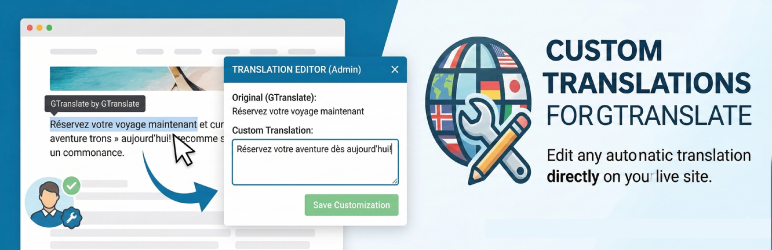
GTranslate Visual Addon helps you fix wrong, literal, or missing GTranslate translations directly from the frontend. Click any visible text, add your preferred translation, and override the automatic output for visitors using that language.
This plugin acts as a bridge and enhancement for the GTranslate service. You must have the core GTranslate plugin installed and active for this to work. By using this plugin, you are also bound by the GTranslate Terms of Service and Privacy Policy.
Use it for targeted fixes when GTranslate misses or mistranslates:
- WooCommerce buttons and checkout labels.
- Elementor text widgets.
- Contact forms.
- Custom theme strings.
- Headings, buttons, and calls to action.
If GTranslate missed it, you can translate it manually. If GTranslate translated it poorly, you can fix it with a visual translation editor.
How it works
- Make sure GTranslate is installed, active, and visible on your site.
- Log in as an administrator and navigate to the frontend of your website.
- Use GTranslate to switch to the language you want to customize.
- Select the specific translated text visually from the page.
- Type your custom translation.
- Save it. Your custom text will override the automatic translation whenever visitors switch to that language.
Scope of the Free Version
This free version is built for targeted fixes: up to 10 visual text overrides for 1 target language.
It is useful for small websites, landing pages, WooCommerce labels, form text, headings, buttons, and other critical strings where automatic translation needs a manual correction.
Discover the Pro Version
Need to correct hundreds of strings across multiple languages?
The Pro Version is a separate plugin that offers additional features for GTranslate power users:
- Unlimited Visual Elements translated without restrictions.
- All Languages Supported simultaneously.
- CSV Import/Export: Manage thousands of translations in Excel and upload them in seconds.
- SEO Title & Meta Translation: Translate your
<title>and<meta description>tags to rank every language on Google.
Skermôfbyldings
Visual Selection – Click any text element on your live website frontend to capture it. 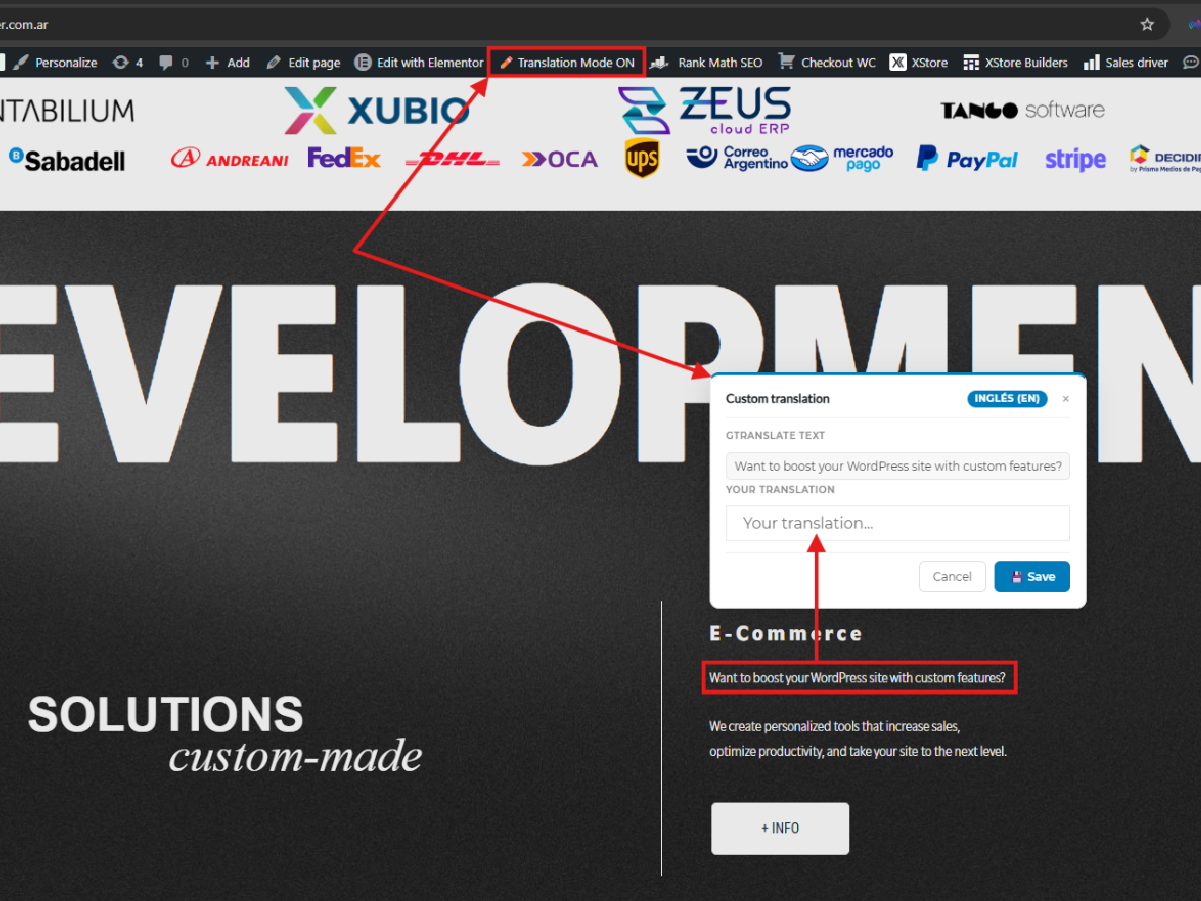
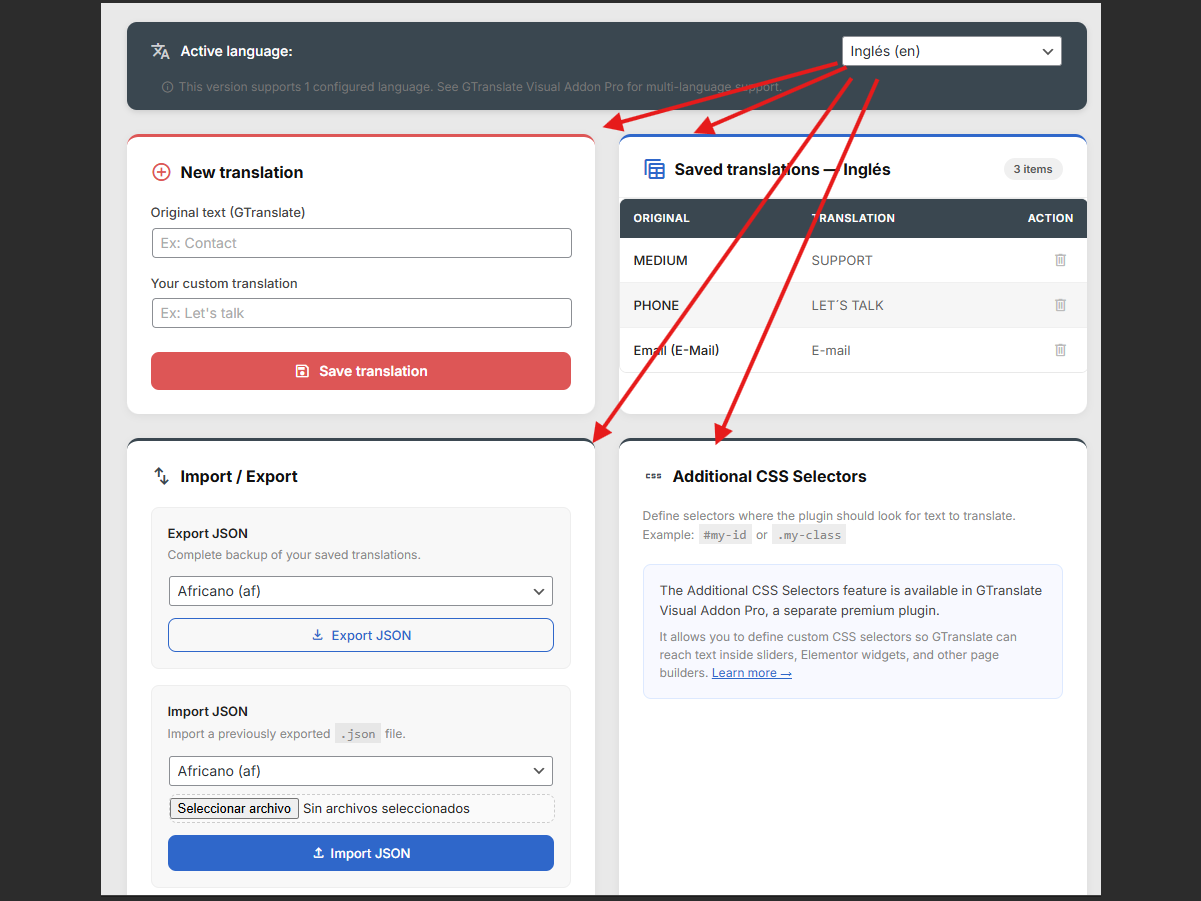
Language Setup – The intuitive centralized dashboard to manage your substituted strings. 
Live Result – See the custom-translated text immediately override the automatic translation.
Ynstallaasje
- Go to your WordPress Dashboard -> Plugins -> Add New.
- Search for
GTranslateand ensure it is installed and active. - Upload the
gtranslate-visual-addonfolder to the/wp-content/plugins/directory, or install it directly via the WordPress Plugin Directory. - Activate the plugin through the
Pluginsmenu in WordPress. - Go to the frontend while logged in as an administrator, switch to the target language with GTranslate, and start selecting visual elements to customize.
FAQ
-
Do I need GTranslate installed for this to work?
-
Yes. This plugin acts as an addon for GTranslate. GTranslate handles language switching, and this plugin lets you correct selected text manually.
-
Can I manually fix wrong GTranslate translations?
-
Yes. Log in as an administrator, switch to the target language with GTranslate on the frontend, then select visible translated text and save a manual override.
-
Can I edit a translation that GTranslate already did?
-
Yes. If GTranslate’s automatic translation is too literal or incorrect, click that text with the visual selector and type your custom translation. Your version will take priority.
-
Can I use it with WooCommerce or Elementor?
-
Yes for visible frontend text. It is useful for targeted fixes such as buttons, labels, headings, form text, and checkout wording.
-
What is included in the free version?
-
The free version supports up to 10 visual text overrides for 1 target language. It is designed for targeted translation fixes.
-
How can I get unlimited translations, multiple languages, and CSV Support?
-
These professional features are available in the separate GTranslate Visual Addon Pro plugin. Click here to learn more about the Pro Version.
Resinsjes

Meiwurkers & amp; Untwikkelders
“GTranslate Visual Addon” is iepen boarne software. De folgjende minsken hawwe bydroegen oan dizze plugin.
Meiwurkers
Oersette “GTranslate Visual Addon” yn jo taal.
Ynteressearre yn ûntwikkeling?
Blêdzje troch de koade , besjoch de SVN-repository , of abonnearje op it ûntwikkelingslogboek troch RSS .
Feroaringslog
3.4.3
- Added a new reviews module.
- Performed routine maintenance and compatibility updates.
- Improved plugin stability through additional testing.
- Synchronized the internal plugin version.
3.4.2
- Updated product URLs for the Pro version.
1.0.0
- Initial public release on the WordPress Repository.
- Added visual frontend string capturer.
- Integrated base GTranslate bridging system.
- Added feature to override automatic translations.
- Implemented Lite restrictions (10 strings, 1 language).