

Beskriuwing
Block Icons: Google Library Collection is a Gutenberg plugin specifically designed to streamline user experience in showcasing a collection of Google icons. With this plugin, you can effortlessly add and customize Google icons directly through the Gutenberg block.
The main advantage of Block Icons: Google Library Collection lies in its simplicity when integrating Google icons into WordPress pages or posts. By utilizing the Gutenberg block, this process becomes more straightforward without the need to deal with code.
Features
- More than 1200+ Icons
- Font Size
- Icon Color
- Hover Icon Color
- Fill Mode
- Weight
- Grade
- Optical Size
Usage instructions
- Enter the Gutenberg Editor
- Go to the Gutenberg Block Category Media and then select the Icon
- Click the Icon Library button
- Once the popup appears, please choose one of the icons and click on it
- You can apply styles according to your preferences (optional)
Contribute
Contributions are always open to those who wish to participate in the further development of this plugin. Github.
Skermôfbyldings

Step 1: Please select the Icon block in the Gutenberg Editor. 
Step 2: Click on the Icon Library icon. 
Step 3: Choose one of the icons. 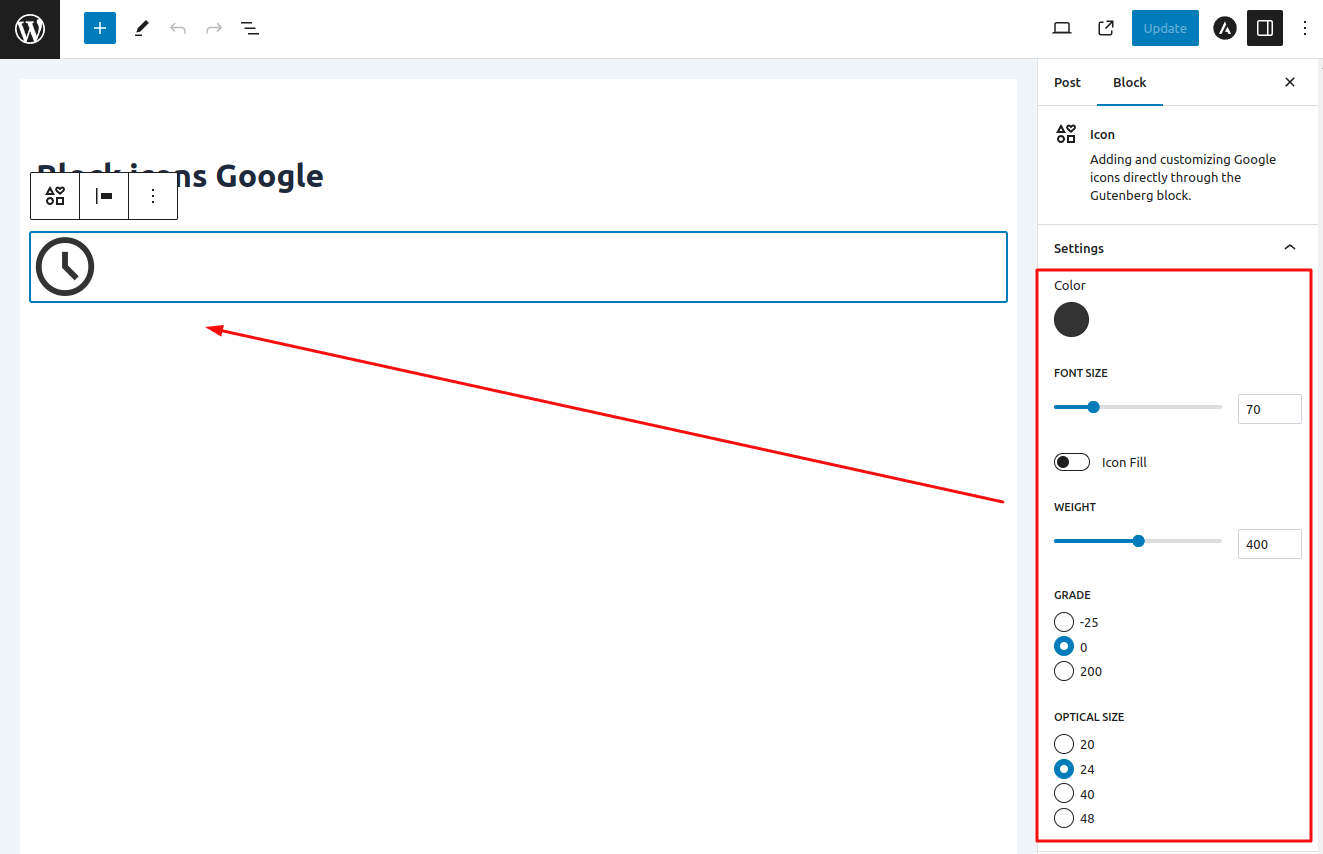
Step 4: You can add icon styles (optional).
Blokken
Dizze plugin jout 1 blok.
- Icon Adding and customizing Google icons directly through the Gutenberg block.
Ynstallaasje
- Open WordPress Dashboard:
– Log in to your WordPress dashboard.
2. Access Plugin Menu:
On the left panel, click “Plugins” and select “Add New.”
3. Search for “Block Icons”:
-On the Add Plugin page, locate the search box in the top right corner.
-Type “Block Icons” in the search box.
4.Install the Plugin:
-After finding the “Block Icons” plugin, click the “Install” button below it.
5. Activate the Plugin:
Once the installation is complete, click the “Activate” button that appears.
FAQ
-
Is there a paid version of the plugin?
-
No, this plugin is entirely free, and there is no paid version.
-
Does this plugin only work in Gutenberg?
-
Yes, this plugin works only in the Gutenberg editor.
Resinsjes

Meiwurkers & amp; Untwikkelders
“Block Icons: Google Library Collection” is iepen boarne software. De folgjende minsken hawwe bydroegen oan dizze plugin.
Meiwurkers
Oersette “Block Icons: Google Library Collection” yn jo taal.
Ynteressearre yn ûntwikkeling?
Blêdzje troch de koade , besjoch de SVN-repository , of abonnearje op it ûntwikkelingslogboek troch RSS .